


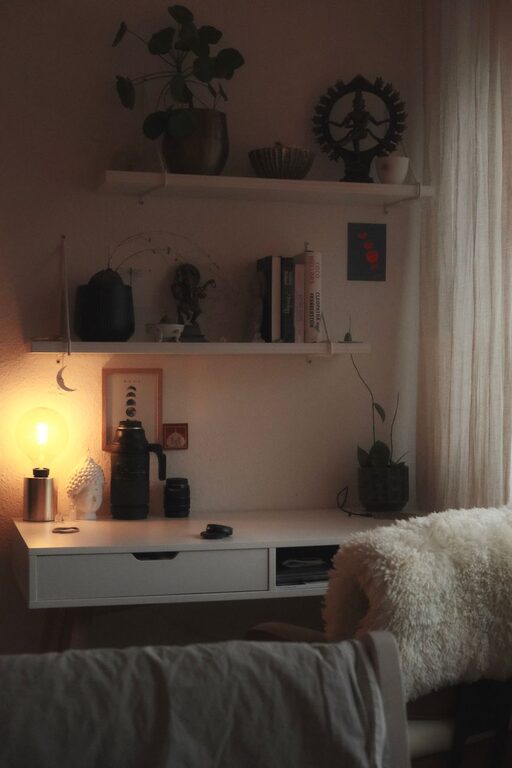
Creating a relaxing home workspace can make a big difference in how you feel and perform throughout your workday. Whether you work remotely full-time or occasionally bring tasks home, having an environment that supports focus and calmness is essential. In this post, we’ll explore practical tips and ideas to help you set up a home workspace that feels both comfortable and inspiring.
Why a Relaxing Workspace Matters
When your workspace is cluttered, noisy, or uncomfortable, it can contribute to tension and distraction. On the other hand, a well-designed environment encourages concentration and reduces stress. A relaxing workspace helps you:
– Stay focused longer
– Feel less tired
– Improve your mood
– Boost overall productivity
With these benefits in mind, let’s dive into how you can create that ideal space at home.
Choose the Right Location
Find a Quiet Spot
Look for a corner or room in your home where noise and foot traffic are minimal. Avoid high-traffic areas like the kitchen or living room if possible. A quiet spot helps you maintain focus without constant interruptions.
Use Natural Light
Position your desk near a window. Natural daylight improves mood and reduces eye strain. If natural light is limited, consider a daylight-mimicking lamp to create a bright and uplifting atmosphere.
Organize Your Space for Calmness
Declutter Regularly
Keep only items you need daily on your desk. Excess clutter can overwhelm your mind. Use drawers, shelves, or storage boxes to tuck away papers, cables, and supplies.
Use Minimalist Storage Solutions
Choose simple, clean-lined containers to store essentials. Being able to easily find items lowers frustration and keeps your workspace tidy.
Invest in Comfort
Select an Ergonomic Chair
Comfortable seating is crucial for long work sessions. Look for chairs that support your back and encourage good posture.
Adjust Desk Height
Your desk should allow your arms to rest comfortably at a 90-degree angle. This setup reduces strain on wrists and shoulders.
Add Soft Touches
Items like a soft rug, cushions, or a favorite blanket add warmth and coziness, making the space inviting.
Incorporate Soothing Colors
Choose Calming Tones
Colors such as soft blues, greens, or neutrals create a relaxing atmosphere. Avoid overly bright or intense colors that can increase anxiety.
Add Personal Touches
Display framed art, plants, or photos that make you happy. Personal items can boost comfort without adding clutter.
Control Noise and Distractions
Use Noise-Canceling Headphones
If external noise is unavoidable, headphones can help you stay focused and calm.
Play Gentle Background Music
Instrumental or nature sounds promote relaxation without distracting from work.
Bring in Natural Elements
Add Indoor Plants
Plants improve air quality and add a refreshing touch of nature. Easy-care options like succulents or pothos work well indoors.
Open Windows for Fresh Air
When weather allows, venting your space helps maintain a fresh and energizing workspace.
Establish a Routine for Breaks
Schedule Short Breaks
Take five–ten minute pauses each hour to stretch or move. Breaks reduce fatigue and refresh your mind.
Use a Calm Spot for Rest
If possible, create a small relaxation corner with a comfortable chair or cushion where you can unwind briefly.
Manage Technology Wisely
Declutter Digital Devices
Keep your desktop and browser tabs organized. Turn off unnecessary notifications to minimize distractions.
Use Adjustable Lighting for Screens
Reduce eye strain by adjusting monitor brightness and using blue light filters, especially in the evening.
—
Creating a relaxing home workspace does not require a complete overhaul. Small, thoughtful changes can transform your environment into a place that supports well-being and productivity. Remember, the best workspace is one that fits your personal needs and feels like a comfortable spot to focus and be creative. Start with a few of these tips and adjust as you go to find what works best for you.