

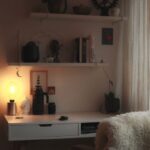

Creating a productive home office space is essential for anyone working remotely or managing tasks from home. A well-organized workspace can increase your focus, reduce stress, and help you maintain a healthy work-life balance. Whether you have a dedicated room or just a small corner, the following tips will help you set up an office that meets your needs and encourages productivity.
Choose the Right Location
The first step in organizing your home office is selecting an area that supports concentration. Ideally, pick a quiet space away from high-traffic parts of your home. If possible, choose a spot near natural light — this can improve your mood and reduce eye strain.
Consider These Factors:
– Noise levels during work hours
– Proximity to necessary power outlets
– Enough room for your equipment and supplies
– Personal comfort with lighting and temperature
Invest in Ergonomic Furniture
Comfort is key when working for long hours at home. An ergonomic chair that supports your back paired with a desk at the proper height helps prevent discomfort and fatigue.
Tips for Ergonomic Setup:
– Keep your feet flat on the floor or on a footrest.
– Position your computer screen at eye level to avoid neck strain.
– Use an adjustable chair with good lumbar support.
– Maintain a relaxed posture with elbows close to your body.
Declutter and Organize Your Desk
A tidy workspace promotes a clear mind. Keep only essential items on your desk to reduce distractions.
Desk Organization Ideas:
– Use drawer organizers for stationery and small items.
– Keep cables neat with clips or cable management boxes.
– Store documents in labeled folders for quick access.
– Limit decorative items to one or two meaningful pieces.
Utilize Smart Storage Solutions
Maximize your space by employing storage options that suit your office size and needs.
Storage Options:
– Shelving units for books, files, and supplies.
– Rolling carts to keep materials mobile and accessible.
– Wall-mounted organizers to save desk space.
– Filing cabinets for important paperwork.
Establish Zones for Different Activities
If your space allows, designate specific areas for tasks like computer work, brainstorming, or studying.
Creating Zones:
– Use rugs or furniture arrangement to define zones.
– Keep different supplies and tools in their respective areas.
– This separation helps your brain switch between tasks more effectively.
Optimize Lighting
Proper lighting reduces eye strain and improves energy levels.
Lighting Tips:
– Combine natural light with adjustable artificial lighting.
– Use a desk lamp for focused tasks.
– Avoid glare on screens by positioning lights carefully.
Personalize Your Work Environment
Adding personal touches can make your home office enjoyable and motivating — but keep it balanced to avoid clutter.
Personalization Ideas:
– Small plants to add freshness and improve air quality.
– Inspiring artwork or quotes.
– A comfortable cushion or blanket.
Maintain Regular Cleaning and Rearranging
Keep your office space inviting and efficient by scheduling regular clean-ups.
Maintenance Tips:
– Set a weekly time to tidy up and reorganize.
– Reassess your setup periodically to improve comfort.
– Dispose of or recycle items you no longer need.
Use Technology to Stay Organized
Leverage digital tools to complement your physical organization.
Helpful Tools:
– Digital calendars and task managers to plan your day.
– Cloud storage to minimize paper clutter.
– Noise-cancelling headphones to reduce distractions.
—
In conclusion, a productive home office is achievable by thoughtfully selecting your workspace, investing in comfort, organizing smartly, and maintaining a clean and personalized environment. These steps will help you stay focused, efficient, and comfortable throughout your workday. Start making small changes today, and enjoy the benefits of an inspiring home office space!